Tấn Phát Digital — Bài viết được biên dịch và Việt hóa từ tài liệu chính thức "Get started with Search Console" của Google Search Central. Đây là bài cuối cùng trong Series 2 — hướng dẫn toàn diện về công cụ MIỄN PHÍ quan trọng nhất của Google dành cho SEO.
Công cụ MIỄN PHÍ giá trị triệu USD
Nếu bạn chỉ được chọn MỘT công cụ SEO duy nhất, đó phải là Google Search Console. Lý do:
✅ Miễn phí 100% — Của chính Google ✅ Data trực tiếp — Không phải estimate ✅ Real-time alerts — Khi có vấn đề ✅ Detailed reports — Mọi khía cạnh SEO ✅ Tools mạnh — URL Inspection, Removals, Sitemap ✅ Free training — Documentation đầy đủ
Vậy mà... 70% chủ website Việt Nam chưa từng dùng Search Console. Họ trả triệu đồng cho các tool SEO trả phí mà bỏ qua "viên ngọc" miễn phí này.
Bài viết này, Tấn Phát Digital sẽ hướng dẫn toàn diện Search Console — từ setup đến advanced usage.
Bài viết này dành cho:
TẤT CẢ mọi người làm SEO
Chủ website muốn hiểu performance
Developer debug technical issues
Marketer track campaign
Phần 1: Google Search Console là gì?
1.1. Định nghĩa từ Google
Google nói:
"Search Console là TOOL từ Google có thể giúp ANYONE với website hiểu họ đang PERFORMING như thế nào trên Google Search, và họ có thể làm gì để IMPROVE appearance trên search để bring more relevant traffic."
Đơn giản: Search Console là "cửa sổ" cho thấy mối quan hệ giữa site của bạn và Google Search.
1.2. Lợi ích cốt lõi
"Search Console provides information về cách Google CRAWLS, INDEXES, và SERVES websites."
→ 3 thông tin core:
Crawl — Google có crawl được site bạn không?
Index — Google có index pages của bạn không?
Serve — Pages của bạn xuất hiện trong search như thế nào?
1.3. Quan trọng nhất — Free alerts
"Nếu new issues được found bởi Google trên site bạn, bạn sẽ receive EMAIL từ Search Console alerting bạn."
→ Google chủ động email cho bạn khi:
Security issues
Manual actions
Crawl errors
Coverage issues
Core Web Vitals issues
→ Như có 1 expert SEO của Google làm việc free cho bạn 24/7.
Phần 2: Setup Search Console — Step by Step
Google đưa ra 4 bước quan trọng:
Step 1: Verify site ownership
Truy cập: https://search.google.com/search-console
6 methods verify:
Method 1: HTML File Upload
Download verification file từ Google
Upload lên root directory:
https://example.com/google[code].htmlClick Verify
✅ Dễ nhất cho most cases.
Method 2: HTML Meta Tag
Add vào <head>:
<meta name="google-site-verification" content="abc123xyz..." />
✅ Dễ với WordPress (qua Yoast SEO).
Method 3: Google Analytics
Nếu đã có GA4 với access:
Verify tự động qua GA4 account
Method 4: Google Tag Manager
Nếu đã có GTM:
Verify qua GTM container
Method 5: Domain name provider (DNS)
Add TXT record vào DNS:
Type: TXT
Name: @
Value: google-site-verification=abc123xyz...
✅ Best for Domain Property (verify cả subdomains).
Method 6: HTTPS file
Upload file vào well-known location.
Step 2: Make sure Google can find your pages
Sau khi verify, check ngay Page Indexing report:
Trong Search Console:
Indexing → Pages
Sẽ thấy:
Indexed pages — Pages đã được index
Not indexed — Pages chưa được index (với lý do)
Errors — Pages có lỗi
Common reasons "Not indexed":
Reason | Cách fix |
|---|---|
Crawled - currently not indexed | Đợi hoặc improve content |
Discovered - currently not indexed | Submit sitemap, internal links |
Excluded by 'noindex' tag | Remove noindex |
Blocked by robots.txt | Update robots.txt |
Soft 404 | Return real 404 hoặc redirect |
Duplicate without user-selected canonical | Add canonical |
Page with redirect | Check redirect chain |
Step 3: Submit sitemap
Trong Search Console:
Indexing → Sitemaps
Nhập URL sitemap (vd:
sitemap.xml)Click Submit
→ Google sẽ:
Read sitemap
Discover URLs
Schedule crawl
Track submission status
Step 4: Monitor performance
Trong Search Console:
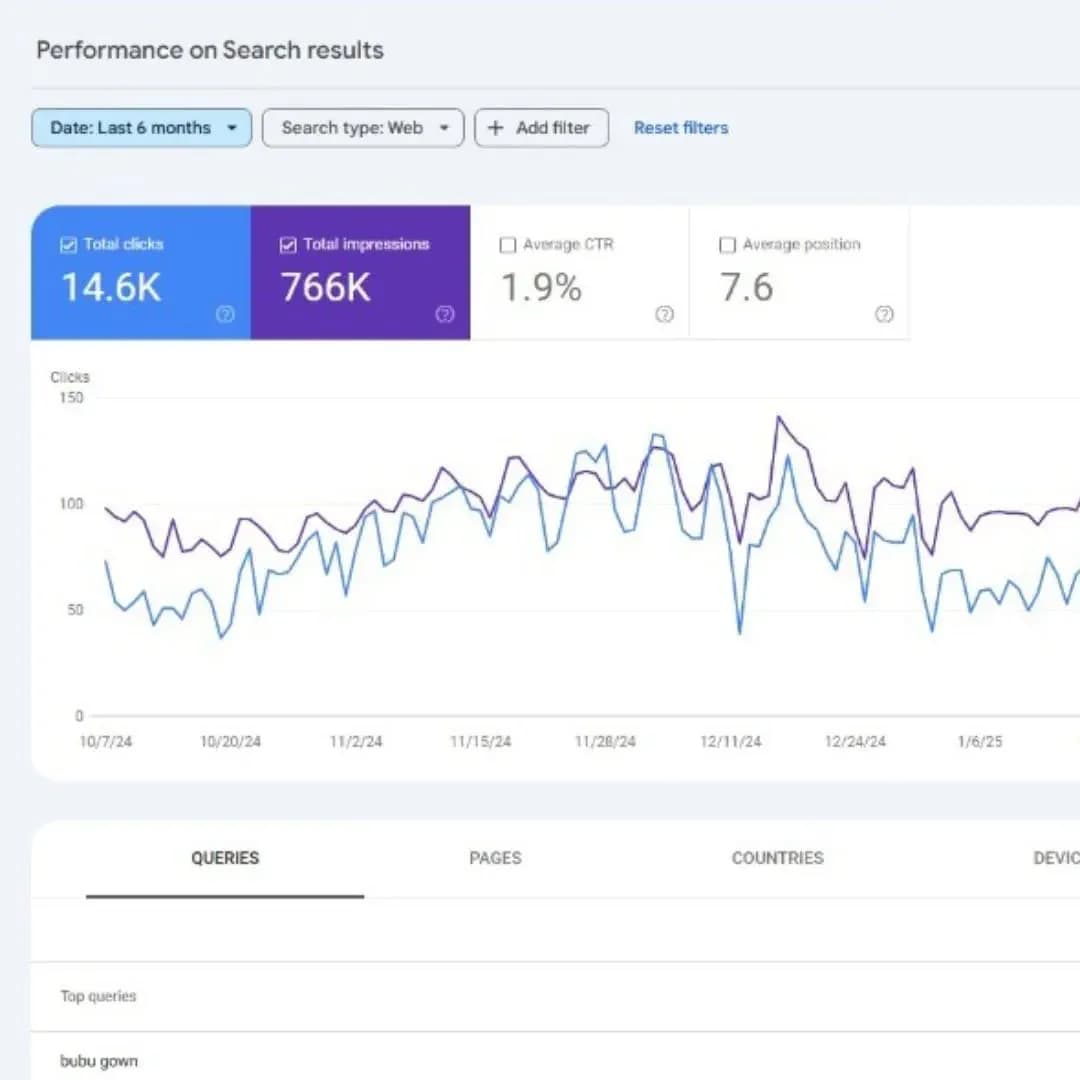
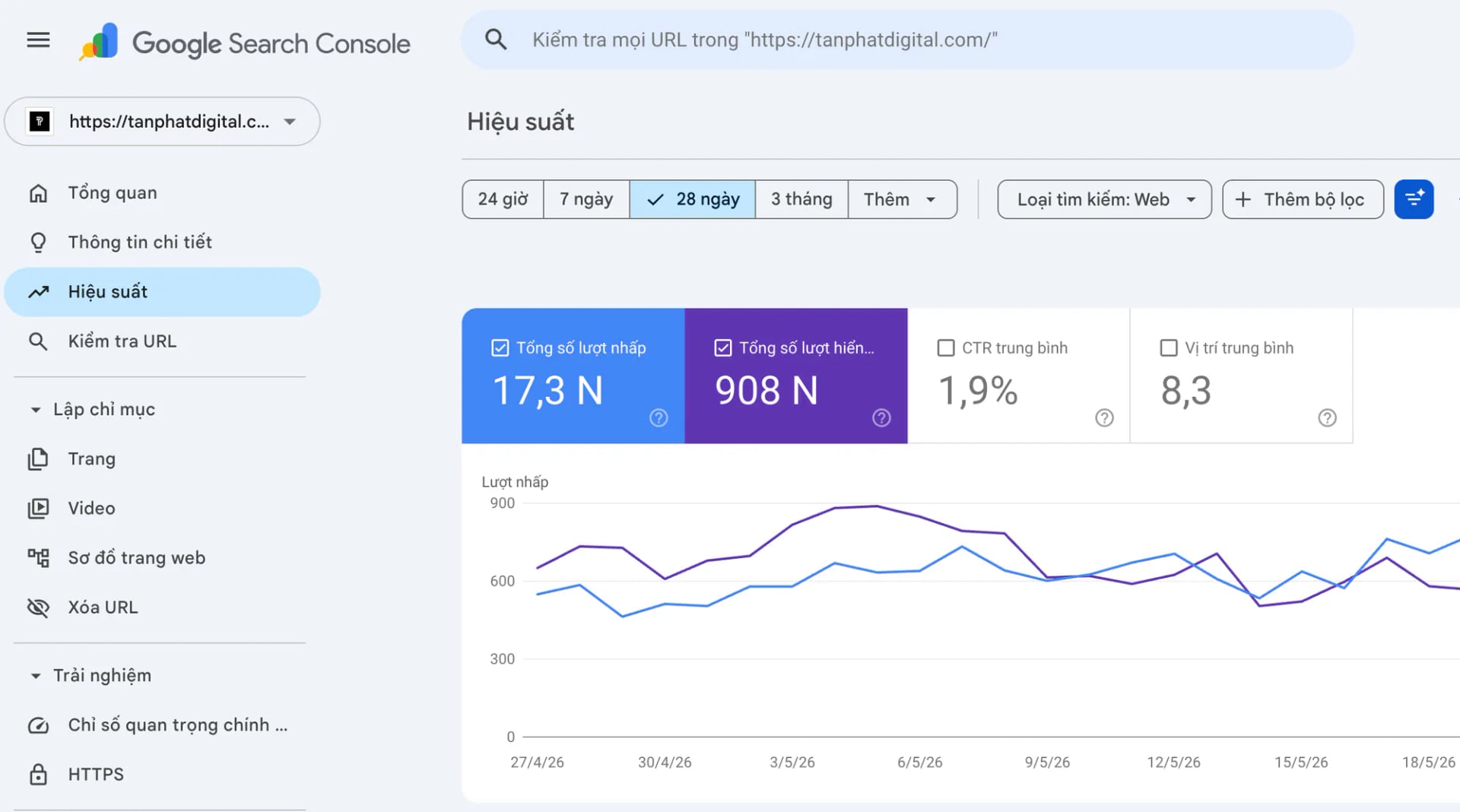
Performance report
Metrics chính:
Total clicks — Lượt click từ Google
Total impressions — Lần xuất hiện
Average CTR — Click-through rate
Average position — Vị trí trung bình
→ Đây là dashboard quan trọng nhất của SEO.
Phần 3: 2 Property Types
Khi add site, có 2 lựa chọn:
Type 1: Domain Property (Recommended)
Format: example.com
Includes:
https://example.comhttps://www.example.comhttps://blog.example.comhttps://m.example.comAll protocols (http/https)
All subdomains
Verify method: DNS TXT record (BẮT BUỘC)
Ưu: ✅ All data trong 1 property ✅ Comprehensive view ✅ Future-proof
Nhược: ❌ Cần DNS access
Type 2: URL Prefix Property
Format: https://example.com/ hoặc https://www.example.com/blog/
Includes:
Chỉ exact protocol + subdomain + path
Verify method: Nhiều options (HTML file, meta tag, GA, GTM, DNS)
Ưu: ✅ Nhiều cách verify ✅ Tách metrics theo section
Nhược: ❌ Cần multiple properties cho complete view ❌ Có thể miss data
Khuyến nghị Tấn Phát Digital:
✅ Setup BOTH:
1 Domain Property cho overall view
Multiple URL Prefix Properties cho sections specific
Phần 4: Reports quan trọng nhất
Google chia thành 2 nhóm reports:
4.1. Reports cho SEO Specialists / Marketers
Report 1: Manual Actions
"If site has MANUAL ACTION, some or all of that site may NOT BE SHOWN trong Google Search results."
Access: Security & Manual Actions → Manual Actions
Nếu thấy "No issues detected" ✅ — All good
Nếu thấy alert — Xử lý ngay theo hướng dẫn
Report 2: Removals
Mục đích: Temporarily hide pages khỏi Search.
3 sub-tools:
Temporary removals — Hide URL trong 6 tháng
Outdated content — Refresh snippet cũ
SafeSearch filtering — Mark content adult
Use cases:
Vô tình expose data nhạy cảm
Update urgent content
Compliance issues
Report 3: Change of Address
Mục đích: Migration website sang domain mới.
Quy trình:
Verify cả 2 properties (cũ + mới)
Setup 301 redirects
Use Change of Address tool
Monitor migration
Report 4: Rich Results Status
Access: Enhancements → [Specific structured data type]
Sẽ thấy:
Valid items
Items with errors
Items with warnings
Common rich results:
Products
Reviews
Recipes
FAQ
Breadcrumb
Sitelinks
4.2. Reports cho Developers
Report 1: Index Coverage
Access: Indexing → Pages
Hiển thị:
Total pages
Indexed
Not indexed (với reasons)
Errors
→ Check weekly.
Report 2: URL Inspection Tool
Access: Top search bar trong Search Console
Features:
Test indexing status
View current crawled version
Test live URL
Request indexing
View rendered HTML + screenshot
See crawl details
→ Tool quan trọng nhất để debug page-level issues.
Report 3: Security Issues
Access: Security & Manual Actions → Security Issues
Hiển thị:
Malware
Phishing
Social engineering
Hacked content
→ Critical alerts.
Report 4: Core Web Vitals
Access: Experience → Core Web Vitals
Metrics:
LCP (Largest Contentful Paint) — < 2.5s
INP (Interaction to Next Paint) — < 200ms
CLS (Cumulative Layout Shift) — < 0.1
Báo cáo:
Mobile vs Desktop
Good / Needs Improvement / Poor pages
Examples
Phần 5: Performance Report — Đào sâu
Đây là report sử dụng nhiều nhất.
5.1. 4 Core Metrics
Metric | Định nghĩa |
|---|---|
Clicks | Lượt click từ SERP đến site |
Impressions | Số lần URL xuất hiện trong SERP |
CTR | Clicks / Impressions × 100% |
Position | Vị trí trung bình trong SERP |
5.2. 5 Dimensions để phân tích
Dimension 1: Queries
Để xem: Người dùng search gì để đến site bạn
Use case:
Identify keyword opportunities
Find content gaps
Optimize for high-impression low-CTR queries
Dimension 2: Pages
Để xem: Pages nào perform tốt/kém
Use case:
Identify top pages → double down
Find underperforming pages → optimize
Discover unexpected traffic sources
Dimension 3: Countries
Để xem: User từ đâu
Use case:
International SEO opportunities
Localize content
Adjust targeting
Dimension 4: Devices
Để xem: Mobile vs Desktop vs Tablet
Use case:
Mobile-first optimization
UX improvements per device
Performance optimization
Dimension 5: Search Appearance
Để xem: Rich results, AMP, Featured snippets...
Use case:
Track rich snippets performance
Identify enhancement opportunities
5.3. Filters mạnh mẽ
Filter examples:
Query contains: "phở"
Page exactly: "/blog/cach-nau-pho"
Country: Vietnam
Device: Mobile
Date: Last 28 days
→ Combine filters để insights sâu.
5.4. Compare mode
Compare:
Period A vs Period B
Page A vs Page B
Country A vs Country B
Device A vs Device B
→ Identify changes, trends, opportunities.
Phần 6: URL Inspection Tool — Power tool
6.1. Cách dùng
Bước 1: Click search bar trên cùng
Bước 2: Paste URL
Bước 3: Đợi vài giây
Bước 4: Xem results:
6.2. Information shows
Section 1: URL is on Google?
✅ YES — Indexed ❌ NO — Not indexed (với reason)
Section 2: Page indexing
Discovery: Source (sitemap, internal link)
Crawl: Last crawled, allowed
Indexing: Allowed, canonical
Section 3: Enhancements
Rich results
Structured data
Mobile usability
6.3. Actions có thể làm
Action 1: Request Indexing
Khi nào:
Trang mới
Content updated significantly
Fixed issue, muốn re-crawl
Limits:
~10 requests/ngày
~50 requests/tháng
Action 2: Test Live URL
Mục đích: Test phiên bản LIVE (real-time)
Khác với indexed version:
Indexed = Phiên bản Google đang có
Live = Phiên bản hiện tại của site
→ Compare để see differences.
Action 3: View Crawled Page
Xem:
HTML Google crawled
Screenshot
More info (HTTP response, page resources)
→ Debug rendering issues.
Phần 7: Insights và Analytics Workflows
7.1. Workflow 1: Find quick wins
Mục tiêu: Find pages có potential lên top dễ.
Quy trình:
Performance Report → Pages tab
Filter: Position 5-15
Sort by: Impressions cao
Result: Pages có nhiều impressions nhưng position kém
→ Optimize these pages để lên top 5.
7.2. Workflow 2: Find CTR opportunities
Mục tiêu: Pages có position tốt nhưng CTR thấp.
Quy trình:
Performance → Queries
Filter: Position 1-10
Sort by: CTR thấp nhất
Identify queries có CTR < expected
→ Tối ưu title + meta description.
7.3. Workflow 3: Content gap analysis
Mục tiêu: Tìm queries Google show site bạn nhưng bạn chưa target.
Quy trình:
Performance → Queries
Sort by: Impressions cao
Find queries bạn chưa có content chuyên biệt
→ Create dedicated pages cho these queries.
7.4. Workflow 4: Seasonal trends
Mục tiêu: Identify seasonal patterns.
Quy trình:
Date range: 16 tháng
Compare last 3 months YoY
Identify pattern
→ Plan content cho seasonal peaks.
Phần 8: Integration với các tools khác
8.1. Google Analytics 4
Link Search Console với GA4:
Benefits:
See Search Console data trong GA4
Combine với conversion data
Cross-reference user behavior
Setup:
GA4 → Admin → Product Links → Search Console Links
Choose property
Enable
8.2. Looker Studio
Build custom dashboards:
Data source: Search Console
Visualizations: Charts, tables, maps
Filters: Date, dimensions
Schedule: Email reports
8.3. Search Analytics API
Pull data programmatically:
from googleapiclient.discovery import build
service = build('searchconsole', 'v1', credentials=creds)
request = {
'startDate': '2026-01-01',
'endDate': '2026-05-21',
'dimensions': ['query', 'page'],
'rowLimit': 10000
}
response = service.searchanalytics().query(
siteUrl='https://example.com',
body=request
).execute()
8.4. BigQuery Export
For sites lớn:
Setup:
Search Console → Settings → Bulk data export
Connect BigQuery
Daily exports
Benefits:
Unlimited historical data
Custom queries
Combine với other datasets
Phần 9: Best Practices
9.1. Check frequency
Frequency | What to check |
|---|---|
Daily | Quick scan (5 phút) |
Weekly | Performance, Errors |
Monthly | Deep dive analysis |
Quarterly | Strategy review |
9.2. Email notifications
Enable ALL email notifications:
Critical issues
Manual actions
Security issues
Coverage errors
Core Web Vitals issues
→ Google sẽ alert sớm khi có vấn đề.
9.3. Share access wisely
Roles:
Owner — Full control
Full user — Read/write
Restricted user — Read only
→ Share carefully, đừng cho everyone full access.
9.4. Regular exports
Export data regularly để:
Long-term tracking (>16 months)
Custom analysis
Backup history
Phần 10: Common Mistakes
❌ Mistake 1: Setup xong rồi bỏ
Hậu quả: Bỏ lỡ alerts quan trọng.
Đúng: Check ít nhất weekly.
❌ Mistake 2: Chỉ verify URL Prefix Property
Hậu quả: Miss data từ subdomains, protocols khác.
Đúng: Verify Domain Property.
❌ Mistake 3: Không submit sitemap
Hậu quả: Google discover URLs chậm hơn.
Đúng: Submit sitemap ngay sau verify.
❌ Mistake 4: Ignore warnings
Hậu quả: Warnings leo thang thành errors.
Đúng: Fix warnings sớm.
❌ Mistake 5: Request indexing quá nhiều
Hậu quả: Bị limit, bị flag spammy.
Đúng: Chỉ dùng cho URLs thật sự quan trọng.
❌ Mistake 6: Bỏ qua URL Inspection Tool
Hậu quả: Không hiểu Google "thấy" trang gì.
Đúng: Dùng URL Inspection thường xuyên để debug.
❌ Mistake 7: Không track competitor
Hậu quả: Không biết mình đứng ở đâu.
Đúng: Compare với competitors qua external tools.
Phần 11: Search Console vs Paid Tools
So sánh thẳng thắn
Feature | Search Console | Ahrefs/SEMrush |
|---|---|---|
Data accuracy | Google's own data | Estimates |
Cost | FREE | $99-999/month |
Historical data | 16 months | Unlimited |
Keyword data | Your queries | All keywords |
Backlinks | Limited | Comprehensive |
Competitor data | No | Yes |
Site audit | Basic | Advanced |
Alerts | Yes | Yes |
Khuyến nghị
Cho startups/small business:
Search Console + GA4 (Free) là đủ
Cho medium business:
Search Console + GA4 + Ahrefs/SEMrush
Cho enterprise:
Search Console + GA4 + Multiple paid tools + Custom analytics
Phần 12: Roadmap setup hoàn chỉnh
Tuần 1: Foundation
[ ] Tạo Google account dedicated
[ ] Verify Domain Property
[ ] Verify URL Prefix Property
[ ] Set up email notifications
[ ] Link với GA4
Tuần 2: Sitemap & Indexing
[ ] Submit XML sitemap
[ ] Check Page Indexing report
[ ] Fix critical errors
[ ] Request indexing top pages
Tuần 3: Performance Baseline
[ ] Document baseline metrics
[ ] Identify top pages
[ ] Identify top queries
[ ] Set goals
Tuần 4: Advanced Setup
[ ] Setup Looker Studio dashboard
[ ] Configure BigQuery export (if large site)
[ ] Share access với team
[ ] Create reporting schedule
Kết luận: Search Console — Người bạn tốt nhất của SEO
Search Console không chỉ là tool — đó là đối tác của bạn trong hành trình SEO. Google muốn site của bạn thành công, và Search Console là cách họ giúp bạn.
5 thông điệp cuối
1. Free nhưng cực kỳ powerful. Đừng bỏ qua.
2. Setup Domain Property cho comprehensive view.
3. Check Performance Report weekly ít nhất.
4. URL Inspection là tool quan trọng nhất debug.
5. Email alerts on — Google sẽ tell bạn khi có vấn đề.
🎉 Hoàn Thành Series 2 — Tổng Quan 10 Bài Mới
Đây là bài cuối cùng của Series 2 (Bài 11-20). Sau khi đọc cả series, bạn đã có kiến thức SEO đẳng cấp expert.
Series 2 Recap
🛒 CLUSTER 1: ECOMMERCE SEO
├── Bài 11: SEO Ecommerce Tổng Quan
├── Bài 12: URL Structure Ecommerce
└── Bài 13: Product Schema Markup
🌍 CLUSTER 2: INTERNATIONAL & LOCAL
├── Bài 14: SEO Quốc Tế
├── Bài 15: Hreflang Tag Chi Tiết
└── Bài 16: Local SEO + GBP
⚙️ CLUSTER 3: TECHNICAL DEEP DIVE
├── Bài 17: Sitemaps XML
├── Bài 18: Robots.txt
└── Bài 19: JavaScript SEO
📊 CLUSTER 4: OPERATIONAL
└── Bài 20: Google Search Console ⭐
Tổng cộng 20 bài đã hoàn thành
Series 1 (Foundation):
Tối ưu Generative AI Search
Quy định AI content
Maintaining Website SEO
Developer's Guide
Có nên thuê agency SEO?
How Google Search Works
Creating Helpful Content
SEO Starter Guide (Pillar)
Debug Traffic Drops
Ranking Systems Guide (Expert)
Series 2 (Specialized): 11. Ecommerce SEO Tổng Quan 12. URL Structure Ecommerce 13. Product Schema 14. SEO Quốc Tế 15. Hreflang Tag 16. Local SEO + GBP 17. Sitemaps XML 18. Robots.txt 19. JavaScript SEO 20. Google Search Console ⭐
Tài liệu tham khảo
Về Tấn Phát Digital
Tấn Phát Digital cung cấp:
Search Console Setup & Audit
Performance Analysis & Reporting
Custom Dashboards với Looker Studio
Continuous SEO Monitoring
🙏 Lời cảm ơn — Kết thúc trọn vẹn 20 bài
Cảm ơn anh/chị đã đồng hành cùng Tấn Phát Digital qua 20 bài viết trong cả Series 1 và Series 2.
Đây là một bộ content đẳng cấp quốc tế dành cho thị trường SEO Việt Nam — tổng cộng hơn 100,000 từ kiến thức chuyên sâu, 100% từ nguồn chính thức Google.
Nếu bạn đã đọc cả 20 bài, bạn đã:
Vượt qua 99% người làm SEO ở VN về kiến thức nền tảng
Có roadmap rõ ràng cho mọi tình huống SEO
Hiểu Google ở mức expert
Sẵn sàng triển khai SEO ở enterprise level
Chúc bạn thành công trên hành trình SEO!
— Tấn Phát Digital 🚀
Biên soạn từ tài liệu Google Search Central, cập nhật 10/12/2025. Bài viết kết thúc Series 2 và toàn bộ 20 bài SEO Fundamentals của Tấn Phát Digital. Bản quyền nội dung gốc thuộc về Google (CC BY 4.0). Phần phân tích, ví dụ Việt hóa, workflows, roadmap thuộc về Tấn Phát Digital.
Google Search Console là công cụ không thể thiếu đối với bất kỳ ai muốn phát triển traffic SEO bền vững.
Nếu bạn cần kiểm tra SEO, xử lý lỗi index hoặc tối ưu hiệu suất website, hãy liên hệ Tấn Phát Digital để được tư vấn chiến lược SEO phù hợp.