Tốc độ website ảnh hưởng trực tiếp tới doanh thu. Các nghiên cứu ngành từ lâu đã chỉ ra mối tương quan rõ rệt: trang tải chậm làm tăng tỷ lệ rời bỏ, giảm tỷ lệ chuyển đổi và kéo theo thứ hạng SEO đi xuống. Đó là lý do Google giới thiệu Core Web Vitals — bộ ba chỉ số đo trải nghiệm web thực tế.
Năm 2024, Google chính thức thay FID bằng INP — một thay đổi quan trọng mà nhiều website Việt vẫn chưa cập nhật. Bài viết này giải mã toàn bộ Core Web Vitals: từ định nghĩa đến kỹ thuật tối ưu cụ thể.
Bài dành cho: frontend/backend developer, DevOps, chủ website muốn hiểu tác động của performance tới SEO, và marketing manager cần lý do để đầu tư vào performance.
Phần 1: Tổng quan
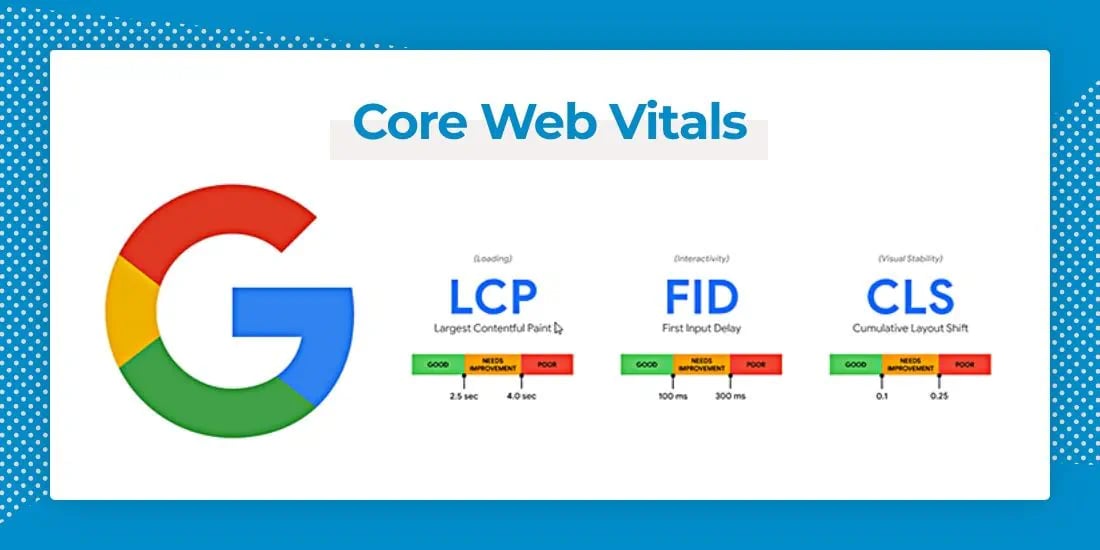
Core Web Vitals là bộ chỉ số đo trải nghiệm người dùng thực tế ở ba khía cạnh: tốc độ tải, khả năng tương tác và độ ổn định thị giác.
Trụ cột | Chỉ số | Ngưỡng "Good" | Ngưỡng "Poor" |
|---|---|---|---|
Loading (tốc độ tải) | LCP – Largest Contentful Paint | < 2,5 giây | > 4,0 giây |
Interactivity (phản hồi) | INP – Interaction to Next Paint | < 200 ms | > 500 ms |
Visual Stability (ổn định) | CLS – Cumulative Layout Shift | < 0,1 | > 0,25 |
Google khuyến nghị rất mạnh rằng chủ website nên đạt Core Web Vitals tốt để thành công trên Search và đảm bảo trải nghiệm người dùng — điều này, cùng các khía cạnh page experience khác, phù hợp với những gì hệ thống xếp hạng cốt lõi muốn thưởng. Nói cách khác: CWV tốt là lợi thế cạnh tranh thật sự, đúng như checklist Technical SEO đã nhấn mạnh.
Lab data vs Field data — điểm mấu chốt
Lab Data (Synthetic) | Field Data (Real-world) | |
|---|---|---|
Cách đo | Môi trường mô phỏng, có kiểm soát | Từ người dùng thật |
Nguồn | Lighthouse, PageSpeed Insights | Chrome User Experience Report (CrUX) |
Dùng để | Debug, tìm nguyên nhân | Xếp hạng |
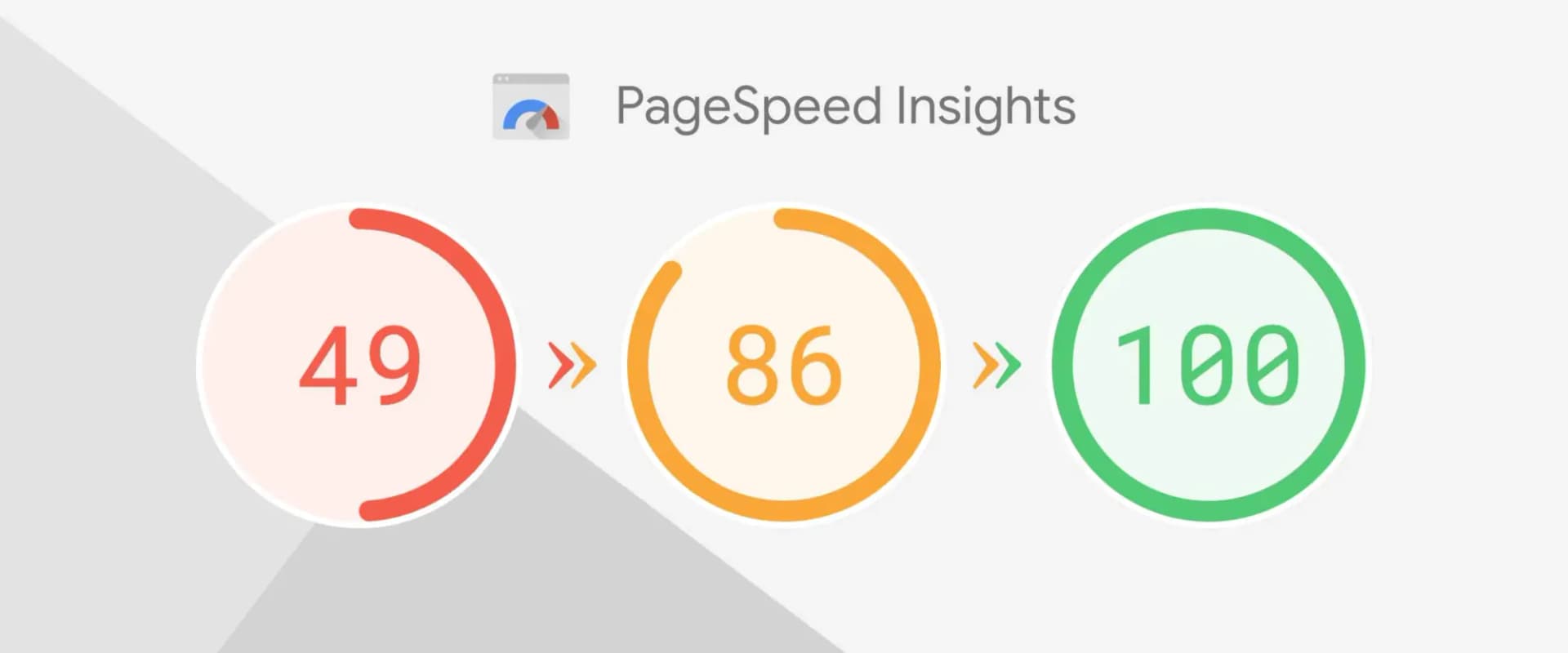
Insight quan trọng: site có thể đạt Lighthouse 100/100 nhưng field data vẫn tệ — và Google xếp hạng theo field data.
Phần 2: LCP — Largest Contentful Paint
LCP đo thời gian để element lớn nhất trong viewport xuất hiện. Element được tính gồm: <img>, ảnh nền CSS, poster video, khối text block-level (đoạn văn, heading) và SVG. Không tính: element ẩn, element ngoài viewport, và element trang trí (border, gradient).
Bốn yếu tố ảnh hưởng LCP
1. Thời gian phản hồi server (TTFB). Tốt: < 800ms; chấp nhận được: 800ms–1,8s; kém: > 1,8s.
nginx
# Nginx caching
location ~* \.(jpg|jpeg|png|gif|webp|css|js)$ {
    expires 1y;
    add_header Cache-Control "public, immutable";
}
2. Tài nguyên chặn render (render-blocking CSS/JS).
html
<!-- CSS bất đồng bộ -->
<link rel="preload" href="critical.css" as="style"
      onload="this.onload=null;this.rel='stylesheet'">
<noscript><link rel="stylesheet" href="critical.css"></noscript>

<!-- Defer JS -->
<script src="app.js" defer></script>

<!-- Async JS (không phụ thuộc DOM) -->
<script src="analytics.js" async></script>
3. Thời gian tải tài nguyên (ảnh/video lớn).
html
<picture>
  <source srcset="hero.avif" type="image/avif">
  <source srcset="hero.webp" type="image/webp">
  <img src="hero.jpg" alt="Hero image"
       width="1200" height="600"
       fetchpriority="high">
</picture>
Điểm then chốt: dùng fetchpriority="high" cho ảnh LCP; ưu tiên AVIF > WebP > JPEG; dùng srcset responsive; và luôn khai báo width/height (giúp cả CLS).
4. Client-side rendering. Nếu nội dung chính render từ JS, LCP sẽ rất muộn — nên dùng SSR/SSG:
javascript
// Next.js: render sẵn nội dung ở server → LCP nhanh
export async function getStaticProps() {
  const content = await fetchContent();
  return { props: { content }, revalidate: 60 };
}
Bảy kỹ thuật tối ưu LCP
1. Preload tài nguyên quan trọng:
html
<link rel="preload" as="image" href="/hero.webp" fetchpriority="high">
<link rel="preload" as="font" type="font/woff2" href="/font.woff2" crossorigin>
<link rel="preconnect" href="https://fonts.googleapis.com">
<link rel="preconnect" href="https://cdn.example.com" crossorigin>
2. Tối ưu ảnh — chuyển sang WebP/AVIF:
javascript
const sharp = require('sharp');

sharp('input.jpg').webp({ quality: 80 }).toFile('output.webp');
sharp('input.jpg').avif({ quality: 70 }).toFile('output.avif');
Ngưỡng dung lượng tham khảo: hero < 200KB (WebP) hoặc < 100KB (AVIF); ảnh nội dung < 100KB; thumbnail < 30KB; icon < 5KB (SVG lý tưởng). Bạn có thể dùng công cụ xử lý ảnh miễn phí của Tấn Phát Digital khi cần.
3. Dùng CDN cho static asset (Cloudflare có free tier tốt, Bunny CDN rẻ, CloudFront, KeyCDN).
4. Inline critical CSS (chỉ CSS above-the-fold), defer phần còn lại.
5. Nén text (gzip/Brotli):
nginx
gzip on;
gzip_types text/plain text/css text/xml text/javascript
           application/javascript application/json;
gzip_comp_level 6;

# Brotli nén tốt hơn gzip
brotli on;
brotli_comp_level 6;
6. Bật HTTP/2 hoặc HTTP/3:
nginx
server {
    listen 443 ssl http2;
    ssl_certificate     /path/to/cert.pem;
    ssl_certificate_key /path/to/key.pem;
}
7. Tối ưu truy vấn database (query chậm → TTFB chậm → LCP chậm):
sql
CREATE INDEX idx_status_created ON products(status, created_at);

EXPLAIN SELECT * FROM products
WHERE status = 'active'
ORDER BY created_at DESC LIMIT 10;
Phần 3: INP — Interaction to Next Paint
INP đo độ trễ phản hồi của trang với tương tác người dùng (click nút, tap link, gõ input...) cho tới khi có phản hồi thị giác.
Thay đổi quan trọng từ 3/2024: INP thay thế FID. Lý do: FID chỉ đo tương tác đầu tiên, còn INP đo tất cả tương tác trong phiên — phản ánh trải nghiệm thực tế chính xác hơn.
Năm nguyên nhân khiến INP kém
1. JavaScript nặng chặn main thread — chuyển sang Web Worker:
javascript
// TỆ: chặn main thread 500ms+
button.addEventListener('click', () => {
  const result = processData(largeArray);
  updateUI(result);
});

// TỐT: đẩy sang Web Worker
button.addEventListener('click', () => {
  const worker = new Worker('processor.js');
  worker.postMessage(largeArray);
  worker.onmessage = (e) => updateUI(e.data);
});
2. Script bên thứ ba đồng bộ → luôn dùng async/defer.
3. Event handler chạy lâu — hãy "nhường" main thread:
javascript
// TỐT: nhường main thread định kỳ
button.onclick = async () => {
  for (let i = 0; i < 100000; i++) {
    if (i % 100 === 0 && 'yield' in scheduler) {
      await scheduler.yield();   // API hiện đại
    }
    doSomething(i);
  }
};
4. DOM quá lớn — dùng virtual scrolling cho danh sách dài:
javascript
import { FixedSizeList } from 'react-window';

function VirtualList({ items }) {
  return (
    <FixedSizeList height={600} itemCount={items.length}
                   itemSize={50} width="100%">
      {({ index, style }) => (
        <div style={style}>{items[index].name}</div>
      )}
    </FixedSizeList>
  );
}
5. CSS animation nặng — chỉ animate transform/opacity (chạy trên GPU), tránh animate thuộc tính layout:
css
/* TỆ: animate thuộc tính layout */
.element { transition: width .3s, height .3s, top .3s, left .3s; }

/* TỐT: animate transform/opacity */
.element {
  transition: transform .3s, opacity .3s;
  will-change: transform;
}
Kỹ thuật tối ưu INP
Code splitting:
javascript
const HeavyComponent = dynamic(() => import('../components/HeavyComponent'), {
  loading: () => <p>Loading...</p>,
  ssr: false
});
Debounce input:
javascript
function debounce(fn, delay) {
  let timeoutId;
  return (...args) => {
    clearTimeout(timeoutId);
    timeoutId = setTimeout(() => fn(...args), delay);
  };
}

const handleSearch = debounce((query) => fetchResults(query), 300);
searchInput.addEventListener('input', (e) => handleSearch(e.target.value));
requestIdleCallback cho tác vụ không gấp; memo hóa React (React.memo, useMemo, useCallback); và CSS containment:
css
.card  { contain: layout style paint; }
.modal { contain: strict; }
Phần 4: CLS — Cumulative Layout Shift
CLS đo độ ổn định thị giác. Layout shift xảy ra khi: element xuất hiện đẩy nội dung xuống, ảnh tải xong đẩy text, font tải xong gây reflow, ads/embed tải chậm, hoặc animation làm đổi layout.
Công thức: CLS = Impact Fraction × Distance Fraction. Ví dụ: 50% viewport bị dịch chuyển, element dịch 25% chiều cao viewport → CLS = 0,5 × 0,25 = 0,125 (kém).
Sáu nguyên nhân CLS và cách sửa
1. Ảnh không khai báo kích thước:
html
<!-- Cách 1: khai báo width/height -->
<img src="photo.jpg" width="800" height="600" alt="Photo">

<!-- Cách 2: dùng aspect-ratio -->
<img src="photo.jpg" style="aspect-ratio: 4/3; width: 100%;" alt="Photo">
2. Ads không có placeholder → đặt min-height giữ chỗ trước.
3. Web font gây FOUT/FOIT:
css
@font-face {
  font-family: 'CustomFont';
  src: url('/fonts/custom.woff2') format('woff2');
  font-display: optional;  /* tốt nhất cho CLS; swap thì tốt cho UX */
}
4. Chèn nội dung động — dùng position: fixed thay vì chèn vào đầu DOM (đẩy nội dung xuống):
javascript
// TỐT: hiện banner mà không xô lệch layout
const banner = document.createElement('div');
banner.style.position = 'fixed';
banner.style.top = '0';
banner.style.zIndex = '9999';
document.body.appendChild(banner);
5. Video/iframe nhúng — giữ chỗ bằng aspect-ratio:
html
<div style="aspect-ratio: 16/9; position: relative;">
  <iframe src="https://youtube.com/embed/xyz"
          style="position: absolute; width: 100%; height: 100%;"
          width="560" height="315"></iframe>
</div>
6. CSS animation dùng thuộc tính layout — thay height bằng transform: translateY().
Phần 5: Công cụ đo lường
PageSpeed Insights (khuyến nghị số 1): có cả lab + field data, mobile + desktop, kèm khuyến nghị cụ thể. Phần Field Data mới là quan trọng nhất.
Chrome DevTools: tab Lighthouse (chọn device Mobile — vì Google xếp hạng theo mobile) và tab Performance để phân tích flame chart.
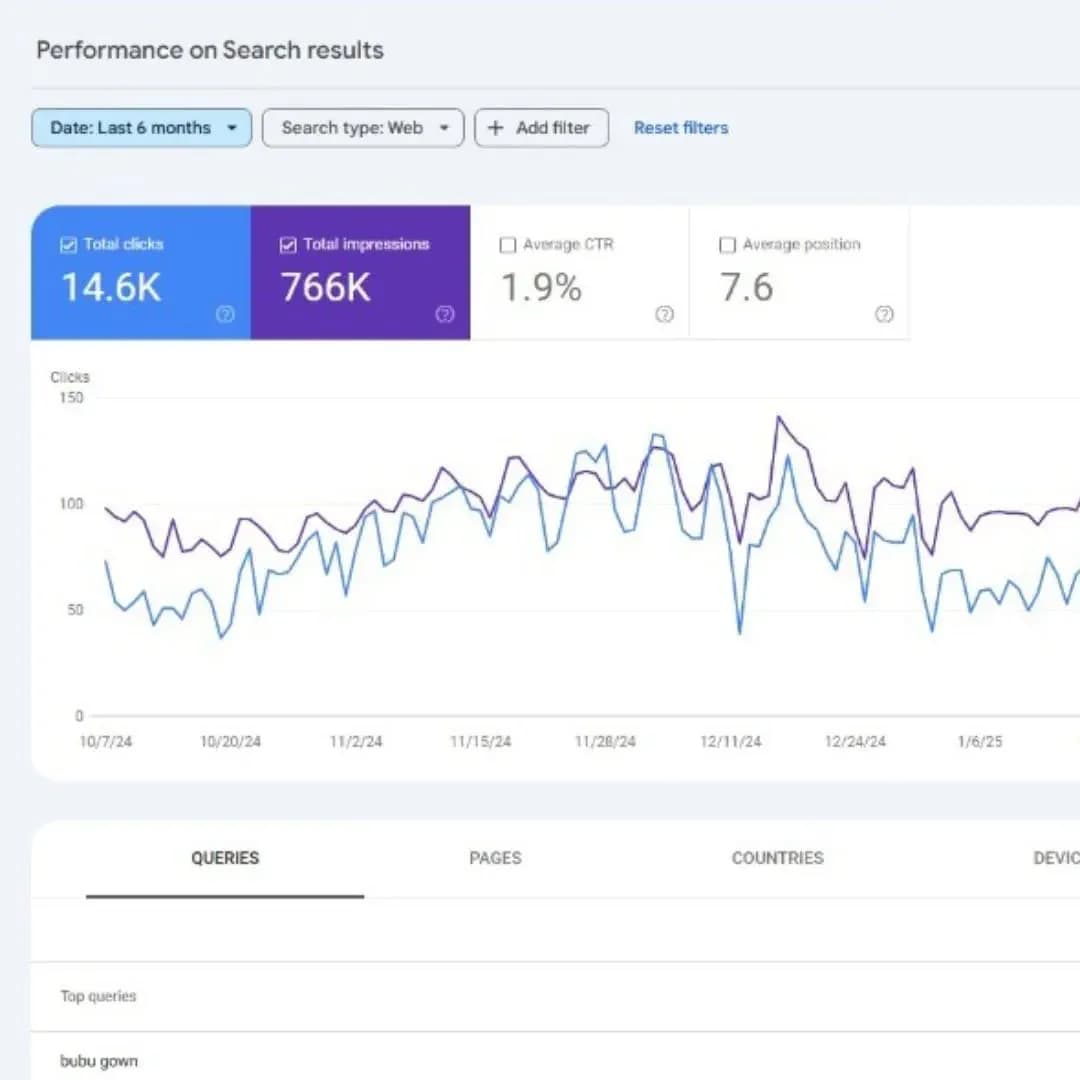
Search Console → Core Web Vitals report: dữ liệu field thật từ chính người dùng của bạn, phân tách mobile/desktop, có xu hướng theo thời gian. Đây chính là dữ liệu Google dùng để xếp hạng.
CrUX API để lấy dữ liệu theo URL.
Real User Monitoring (RUM) bằng thư viện
web-vitalschính thức của Google:
javascript
import { onCLS, onINP, onLCP } from 'web-vitals';

function sendToAnalytics({ name, value, id }) {
  fetch('/analytics', {
    method: 'POST',
    body: JSON.stringify({ name, value, id }),
    headers: { 'Content-Type': 'application/json' }
  });
}

onCLS(sendToAnalytics);
onINP(sendToAnalytics);
onLCP(sendToAnalytics);
Dữ liệu này rất hữu ích khi cần điều tra các sự cố, ví dụ website bị giảm traffic đột ngột sau một lần deploy.
Phần 6: Tối ưu theo nền tảng
WordPress
Plugin nên dùng: cache (WP Rocket, W3 Total Cache, LiteSpeed Cache); ảnh (ShortPixel, Smush, Imagify); database (WP-Optimize); CSS/JS (Autoptimize, Asset CleanUp).
php
// functions.php – defer script không quan trọng
function defer_parsing_of_js($url) {
    if (is_admin()) return $url;
    if (strpos($url, '.js') === false) return $url;
    if (strpos($url, 'jquery.js')) return $url;
    return str_replace(' src', ' defer src', $url);
}
add_filter('script_loader_tag', 'defer_parsing_of_js', 10);

// Preload ảnh LCP
function preload_lcp_image() {
    if (is_front_page()) {
        echo '<link rel="preload" as="image" href="/hero.webp" fetchpriority="high">';
    }
}
add_action('wp_head', 'preload_lcp_image', 1);
Next.js
javascript
// next.config.js
module.exports = {
  images: {
    formats: ['image/avif', 'image/webp'],
    deviceSizes: [640, 750, 828, 1080, 1200, 1920],
  },
  experimental: {
    optimizeCss: true,
    optimizePackageImports: ['lodash', 'date-fns'],
  },
  compress: true,
};
javascript
// Ảnh LCP với next/image
import Image from 'next/image';

function HeroSection() {
  return (
    <Image src="/hero.jpg" alt="Hero"
           width={1200} height={600}
           priority                 // dành cho LCP
           fetchPriority="high"
           placeholder="blur" />
  );
}
javascript
// Lazy-load analytics
<Script src="https://analytics.example.com/track.js" strategy="lazyOnload" />
Shopify
liquid
{% comment %} Preload ảnh hero {% endcomment %}
<link rel="preload" as="image"
      href="{{ section.settings.hero | image_url: width: 1200 }}"
      fetchpriority="high">

{% comment %} Lazy load ảnh dưới màn hình đầu {% endcomment %}
<img src="{{ image | image_url: width: 600 }}"
     loading="lazy" decoding="async"
     width="600" height="400" alt="{{ image.alt }}">
React thuần
javascript
import { lazy, Suspense } from 'react';

const ProductPage = lazy(() => import('./ProductPage'));

function App() {
  return (
    <Routes>
      <Route path="/" element={<HomePage />} />
      <Route path="/product/:id" element={
        <Suspense fallback={<Loading />}>
          <ProductPage />
        </Suspense>
      } />
    </Routes>
  );
}
Phần 7: Case study
Một website ecommerce Việt trước và sau khi tối ưu:
Chỉ số | Trước | Sau | Trạng thái |
|---|---|---|---|
LCP | 4,8s | 2,1s | Poor → Good |
INP | 620ms | 180ms | Poor → Good |
CLS | 0,34 | 0,08 | Poor → Good |
Bounce rate | 68% | 42% | −26 điểm |
Conversion | 1,2% | 2,8% | Tăng đáng kể |
Cách triển khai: tuần 1–2 (LCP) — nén ảnh sang WebP, thiết lập CDN, inline critical CSS, preload ảnh hero, lazy-load ảnh dưới màn hình, defer JS. Tuần 3 (INP) — code splitting, defer analytics, tối ưu event handler, virtual scrolling, Web Worker. Tuần 4 (CLS) — thêm width/height cho mọi ảnh, giữ chỗ cho ads, font-display: optional, sửa cách chèn banner, aspect-ratio cho iframe.
Lưu ý: các con số trên đến từ một dự án cụ thể; kết quả thực tế phụ thuộc nền tảng, ngành và hiện trạng ban đầu của từng website.
Phần 8: 10 lỗi phổ biến
Lỗi | Cách khắc phục |
|---|---|
Chỉ tối ưu theo Lighthouse | Theo dõi field data qua Search Console + RUM |
Quên tối ưu mobile | Google xếp hạng theo dữ liệu mobile — ưu tiên mobile |
Dùng quá nhiều web font | Tối đa 2–3 font weight, subset ký tự |
Ảnh không có kích thước | Luôn khai báo |
Script bên thứ ba chặn render | Dùng |
Không có caching | Cache static asset 1 năm, HTML 1 giờ |
Quá nhiều plugin (WordPress) | Audit và gỡ plugin không dùng |
Không dùng CDN | Cloudflare/Bunny CDN cho static asset |
Query database chưa tối ưu | Thêm index, tối ưu query |
Chỉ test với mạng nhanh | Test với throttling (Slow 3G, máy tầm trung) |
Phần 9: Giám sát định kỳ
Hàng tuần (15 phút): kiểm tra báo cáo Core Web Vitals trong Search Console (xu hướng 7 ngày); chạy PageSpeed Insights cho 5 trang quan trọng nhất; lập danh sách URL mới rơi vào nhóm "Poor".
Hàng tháng (2 giờ): audit đầy đủ 20 trang top, review dữ liệu RUM, phát hiện regression, lên kế hoạch tối ưu.
Hàng quý: so sánh xu hướng theo quý, phân tích tương quan với doanh thu/chuyển đổi, rà soát công cụ và cập nhật lộ trình.
Kết luận
Core Web Vitals không chỉ là "technical SEO" — đó là khoản đầu tư kinh doanh, vì tốc độ ảnh hưởng trực tiếp tới tỷ lệ chuyển đổi của website. Năm thông điệp cốt lõi: (1) field data quan trọng hơn lab data — Lighthouse 100/100 không đảm bảo điều gì; (2) tối ưu mobile trước; (3) LCP nên được xử lý đầu tiên; (4) INP đã thay FID từ 2024 — hãy chắc chắn bạn đang đo đúng chỉ số; và (5) giám sát liên tục vì performance rất dễ "trôi" trở lại.
Core Web Vitals phản ánh trải nghiệm thực tế của khách hàng trên website. Nếu bạn muốn tối ưu tốc độ, cải thiện Core Web Vitals và nâng cao hiệu suất SEO, hãy tham khảo dịch vụ bảo trì & tối ưu website hoặc liên hệ Tấn Phát Digital để được tư vấn.
Biên soạn và Việt hóa từ tài liệu Google Search Central về Core Web Vitals. Code sample và kỹ thuật tối ưu thuộc về Tấn Phát Digital.