Tấn Phát Digital — Bài viết được biên dịch và Việt hóa từ tài liệu chính thức "Google image SEO best practices" của Google Search Central. Đây là bài chuyên sâu về Image SEO — kênh traffic được underutilized nhất tại VN.
Image SEO — "Mỏ vàng" 80% website VN chưa khai thác
Mỗi tháng, Google Images xử lý hơn 1 tỷ visual searches trên toàn cầu. Tại Việt Nam:
65% ecommerce shopper tìm sản phẩm qua image search
80% sites chưa tối ưu images đúng cách
WebP/AVIF giảm size 30-50% nhưng chỉ 20% sites dùng
Bài viết này, Tấn Phát Digital sẽ hướng dẫn toàn diện Image SEO theo Google.
Bài viết này dành cho:
Ecommerce với nhiều sản phẩm
Content creator sử dụng hình ảnh
Designer muốn tối ưu cho SEO
Developer xây image-heavy sites
Phần 1: Hình ảnh xuất hiện ở đâu trên Google?
🔍 Google search có 3 nơi hiển thị images:
├── Text result images (sidebar)
├── Google Discover
└── Google Images (dedicated tab)
→ Optimization principle giống nhau cho cả 3.
Phần 2: 2 Pillars chính của Image SEO
Google chia thành 2 nhóm best practices:
┌─────────────────────────────────────────────┐
│ 🔍 PILLAR 1: Help Google discover & index │
│ - HTML elements │
│ - Image sitemap │
│ - Responsive images │
│ - Supported formats │
│ - Speed & quality │
├─────────────────────────────────────────────┤
│ 📄 PILLAR 2: Optimize landing pages │
│ - Preferred image metadata │
│ - Page title & description │
│ - Structured data │
│ - Filenames, alt text, captions │
└─────────────────────────────────────────────┘
Phần 3: PILLAR 1 — Discovery & Indexing
3.1. Use HTML <img> elements
Google nói:
"Google can find images in
srcattribute of<img>element. Google DOESN'T INDEX CSS images."
✅ Tốt:
<img src="puppy.jpg" alt="A golden retriever puppy">
❌ Xấu (CSS background):
<div style="background-image:url(puppy.jpg)">
A golden retriever puppy
</div>
→ CSS background images không được Google index.
3.2. Image sitemap
<?xml version="1.0" encoding="UTF-8"?>
<urlset xmlns="http://www.sitemaps.org/schemas/sitemap/0.9"
xmlns:image="http://www.google.com/schemas/sitemap-image/1.1">
<url>
<loc>https://example.com/products/ao-thun</loc>
<image:image>
<image:loc>https://example.com/images/ao-trang-1.jpg</image:loc>
<image:title>Áo thun nam cotton trắng</image:title>
<image:caption>Áo thun dáng regular fit</image:caption>
</image:image>
<image:image>
<image:loc>https://example.com/images/ao-trang-2.jpg</image:loc>
</image:image>
</url>
</urlset>
⭐ Đặc biệt: Image sitemap có thể chứa URLs từ domain khác (CDN OK).
3.3. Responsive Images
Method 1: srcset attribute
<img
srcset="
cat-320w.jpg 320w,
cat-480w.jpg 480w,
cat-800w.jpg 800w"
sizes="
(max-width: 320px) 280px,
(max-width: 480px) 440px,
800px"
src="cat-800w.jpg"
alt="A maine coon napping by the fireplace">
Method 2: <picture> element
<picture>
<source type="image/avif" srcset="image.avif">
<source type="image/webp" srcset="image.webp">
<img src="image.jpg" alt="Description">
</picture>
⚠️ Quan trọng: LUÔN có fallback <img> với src attribute.
3.4. Supported formats
Google support:
✅ BMP, GIF, JPEG, PNG
✅ WebP (Modern, smaller)
✅ SVG (Vector)
✅ AVIF (Newest, smallest)
Khuyến nghị 2026:
🥇 AVIF - Best compression (-50% vs JPEG)
🥈 WebP - Good compression, wide support
🥉 JPEG - Fallback cho old browsers
⭐ SVG - Cho icons, logos
3.5. Tối ưu speed + quality
Image optimization checklist:
# Convert to WebP (Node.js with Sharp)
npm install sharp
# Script
const sharp = require('sharp');
sharp('original.jpg')
.resize(1200, null, { withoutEnlargement: true })
.webp({ quality: 80 })
.toFile('optimized.webp');
# AVIF (better)
sharp('original.jpg')
.resize(1200)
.avif({ quality: 70 })
.toFile('optimized.avif');
Size guidelines:
🖼️ Hero images: 200-400 KB
🖼️ Product images: 100-200 KB
🖼️ Thumbnails: < 50 KB
🖼️ Icons: < 10 KB (SVG ideal)
Phần 4: PILLAR 2 — Landing Page Optimization
4.1. Specify preferred image
Google dùng multiple sources để chọn image preview. Bạn có thể influence lựa chọn này.
Method 1: Schema.org primaryImageOfPage
<script type="application/ld+json">
{
"@context": "https://schema.org",
"@type": "WebPage",
"url": "https://example.com/article",
"primaryImageOfPage": "https://example.com/images/hero.jpg"
}
</script>
Method 2: mainEntity với image
<script type="application/ld+json">
{
"@context": "https://schema.org",
"@type": "BlogPosting",
"mainEntityOfPage": "https://example.com/article",
"image": "https://example.com/images/hero.jpg"
}
</script>
Method 3: Open Graph (OGP)
<meta property="og:image"
content="https://example.com/images/hero.jpg">
Best practices khi chọn preferred image:
✅ Relevant + representative ✅ KHÔNG dùng generic image (logo, default) ✅ KHÔNG dùng image quá narrow/wide ✅ High resolution
4.2. Page title + description
Title và meta description ảnh hưởng đến cách image được hiển thị.
→ Xem Bài 8 — SEO Starter Guide cho chi tiết.
4.3. Structured Data với image
Nhiều schema types require image:
{
"@type": "Product",
"image": [
"https://example.com/photos/1x1/photo.jpg",
"https://example.com/photos/4x3/photo.jpg",
"https://example.com/photos/16x9/photo.jpg"
]
}
Schemas đặc biệt cần image:
✅ Product - hiển thị image trong rich results
✅ Recipe - cooking instructions
✅ Article - article images
✅ LocalBusiness - business photos
✅ Person - profile images
4.4. Descriptive filenames
❌ Sai:
IMG_0023.jpg
photo1.png
image1.gif
✅ Đúng:
ao-thun-nam-cotton-trang.jpg
phone-iphone-16-pro-max.webp
salad-rau-cu-quinoa.png
⚠️ Lưu ý URL encoding cho filenames non-Latin:
Original: áo-thun-nam.jpg
Encoded: %C3%A1o-thun-nam.jpg
→ Khuyến nghị: Dùng slug English cho filenames.
4.5. Alt text — Quan trọng nhất!
Google nói:
"The most important attribute when it comes to providing more metadata for an image is the ALT TEXT."
Alt text vai trò:
SEO — Help Google hiểu image
Accessibility — Screen readers
Fallback — Khi image không load
Anchor text — Nếu image là link
4 levels của alt text quality
❌ BAD (missing):
<img src="puppy.jpg">
❌ BAD (keyword stuffing):
<img src="puppy.jpg"
alt="puppy dog baby dog pup pups puppies doggies pups litter">
✅ BETTER:
<img src="puppy.jpg" alt="puppy">
⭐ BEST:
<img src="puppy.jpg" alt="Dalmatian puppy playing fetch">
Alt text guidelines
📏 Length: 5-15 từ
🎯 Focus: Mô tả NỘI DUNG image
📝 Style: Natural language
🔑 Keywords: Tự nhiên, không stuffing
🚫 Avoid: "Image of...", "Picture of..."
SVG alt text
Cho inline SVG:
<svg aria-labelledby="svgtitle1">
<title id="svgtitle1">
Logo Tấn Phát Digital - chữ TPD màu xanh
</title>
<!-- SVG content -->
</svg>
4.6. Consistent URL referencing
⚠️ Quan trọng cho crawl budget:
"If an image is referenced on multiple pages, consistently reference the image with the SAME URL."
❌ Sai:
Page A: <img src="/images/logo.png">
Page B: <img src="/img/logo.png">
Page C: <img src="/assets/logo.jpg">
✅ Đúng:
All pages: <img src="/images/logo.png">
→ Google cache + reuse, không cần request nhiều lần.
Phần 5: Image SEO cho Ecommerce
5.1. Product images requirements
📐 Specifications:
├── Min size: 800x800px
├── Recommended: 1500x1500px+
├── Aspect ratios: 1:1, 4:3, 16:9
├── Background: White preferred
└── Format: WebP/AVIF primary, JPEG fallback
5.2. Multiple angles bắt buộc
<!-- Product page với multiple images -->
<div class="product-images">
<img src="ao-front.webp"
alt="Áo thun nam cotton trắng - mặt trước"
width="800" height="800">
<img src="ao-back.webp"
alt="Áo thun nam cotton trắng - mặt sau"
width="800" height="800">
<img src="ao-detail.webp"
alt="Chi tiết may vá áo thun cotton 100%"
width="800" height="800">
<img src="ao-model.webp"
alt="Model nam mặc áo thun cotton trắng"
width="800" height="800">
<img src="ao-size.webp"
alt="Bảng size áo thun nam S M L XL XXL"
width="800" height="800">
</div>
5.3. Product schema với images
{
"@context": "https://schema.org",
"@type": "Product",
"name": "Áo thun nam cotton trắng",
"image": [
"https://shop.com/photos/1x1/ao-trang.webp",
"https://shop.com/photos/4x3/ao-trang.webp",
"https://shop.com/photos/16x9/ao-trang.webp"
],
"description": "Áo thun nam cotton 100%...",
"offers": {
"@type": "Offer",
"price": "299000",
"priceCurrency": "VND"
}
}
→ Multiple aspect ratios cho different placements.
Phần 6: Opt-out Google Images (nếu cần)
Một số sites muốn prevent full-size images trong Google Images.
6.1. Method: HTTP referrer check
// Server-side (Node.js example)
app.get('/images/:filename', (req, res) => {
const referrer = req.get('Referer') || '';
if (referrer.includes('google.com')) {
// Return 204 (No Content) cho Google
return res.status(204).end();
}
// Serve image normally cho users khác
res.sendFile(path.join(IMAGES_DIR, req.params.filename));
});
Kết quả:
Google vẫn crawl trang
Google thấy image tồn tại
Hiển thị thumbnail thay vì full-size
KHÔNG bị flag là cloaking
6.2. Khi nào nên opt-out?
✅ Use cases hợp lý:
├── Photography portfolios (bảo vệ IP)
├── Stock image sites
├── Premium content
└── Watermarked images
❌ Không nên opt-out:
├── Ecommerce (mất traffic)
├── Recipe sites
├── Travel sites
└── Content sites
Phần 7: Lazy loading đúng cách
7.1. Native lazy loading (Recommended)
<img src="photo.webp"
alt="Description"
loading="lazy"
width="600"
height="400">
✅ Browser hỗ trợ 95%+ ✅ Không cần JavaScript ✅ Google support tốt
7.2. Above-the-fold images
<!-- Hero/LCP image - NO lazy load -->
<img src="hero.webp"
alt="Hero image"
fetchpriority="high"
loading="eager"
width="1200"
height="600">
→ LCP image cần load ngay, không lazy.
7.3. JavaScript lazy loading (Backup)
const lazyImages = document.querySelectorAll('img[data-src]');
const imageObserver = new IntersectionObserver((entries) => {
entries.forEach(entry => {
if (entry.isIntersecting) {
const img = entry.target;
img.src = img.dataset.src;
img.removeAttribute('data-src');
imageObserver.unobserve(img);
}
});
}, {
rootMargin: '50px 0px' // Pre-load 50px before viewport
});
lazyImages.forEach(img => imageObserver.observe(img));
⚠️ Quan trọng: Đảm bảo Google thấy lazy-loaded images. Test với URL Inspection.
Phần 8: Image SEO checklist
✅ Technical Setup
[ ]
<img>tags (not CSS backgrounds) cho content images[ ]
widthvàheightattributes (prevent CLS)[ ] Image sitemap submitted
[ ] Modern formats (WebP/AVIF)
[ ] Responsive với srcset/picture
[ ] Fallback
srcattribute[ ] CDN setup (nếu cần)
✅ Content & Metadata
[ ] Descriptive filenames (slug, không IMG_xxx)
[ ] Alt text mô tả (5-15 từ)
[ ] Captions khi relevant
[ ] Surrounding text relevant
[ ] Preferred image specified (schema/OGP)
✅ Performance
[ ] Compressed (WebP/AVIF)
[ ] Right dimensions (không oversized)
[ ] Lazy loading below-fold
[ ] LCP image eager + fetchpriority
[ ] Cached properly
✅ Structured Data
[ ] Product schema với image
[ ] Article schema với image
[ ] Recipe/HowTo với images
[ ] LocalBusiness với photos
✅ Monitoring
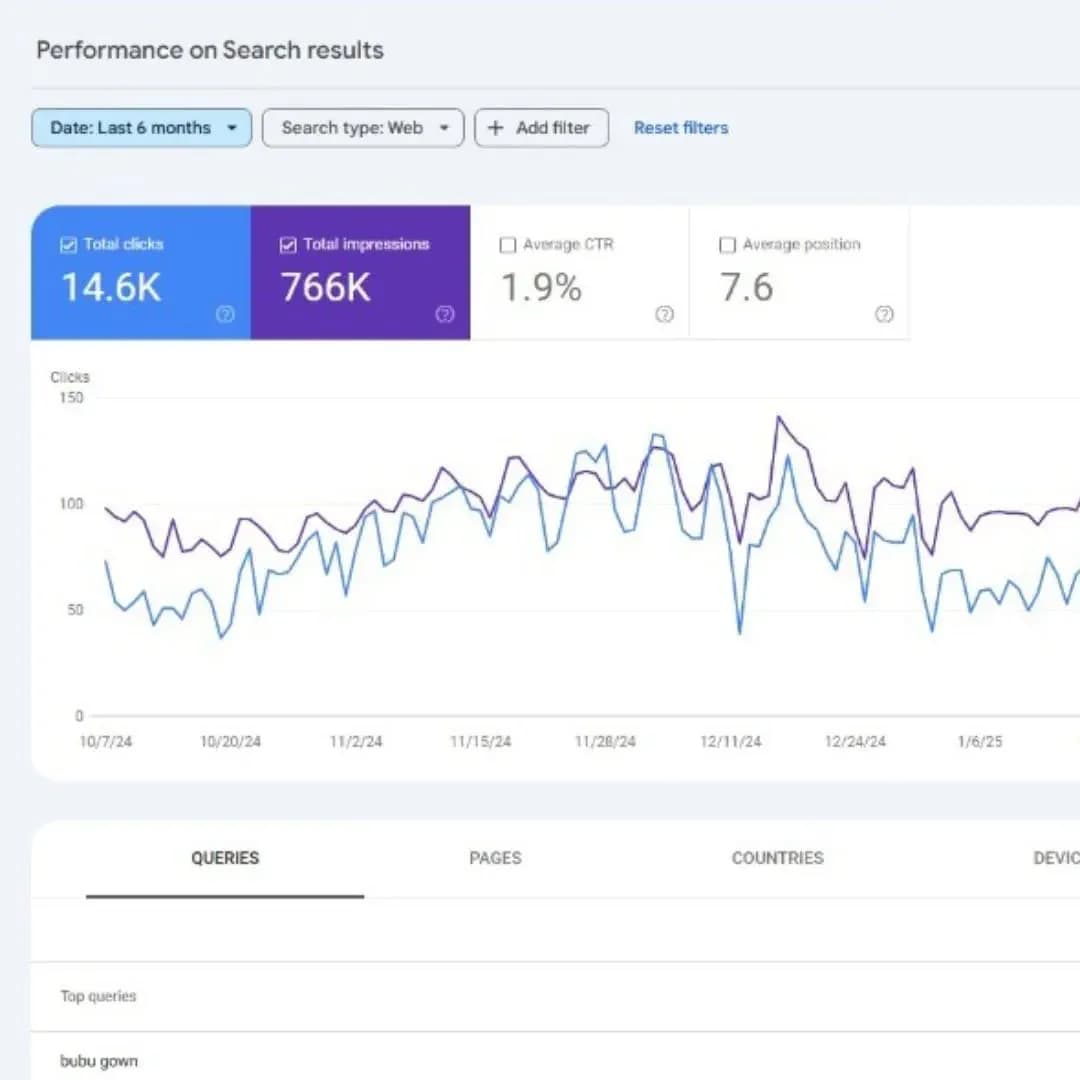
[ ] Search Console image performance
[ ] Image search traffic tracked
[ ] Broken images monitored
[ ] CDN performance tracked
Phần 9: Common mistakes cần tránh
❌ Mistake 1: CSS backgrounds cho content
<!-- WRONG: Google không index -->
<div class="hero"
style="background-image: url('hero.jpg');">
Hero content
</div>
<!-- RIGHT: Use <img> -->
<div class="hero">
<img src="hero.jpg" alt="Hero description">
<div class="overlay">Hero content</div>
</div>
❌ Mistake 2: Generic filenames
❌ DSC_0024.jpg, IMG_001.png
✅ ao-thun-nam-trang.jpg, iphone-16-pro-max.webp
❌ Mistake 3: Missing alt text
<!-- WRONG -->
<img src="product.jpg">
<!-- RIGHT -->
<img src="product.jpg" alt="Mô tả chính xác sản phẩm">
❌ Mistake 4: Keyword stuffing alt
<!-- WRONG: keyword stuffing -->
<img src="ao.jpg"
alt="ao thun ao thun nam ao thun trang ao cotton">
<!-- RIGHT: natural language -->
<img src="ao.jpg"
alt="Áo thun nam cotton trắng dáng regular fit">
❌ Mistake 5: Quên width/height
<!-- WRONG: causes CLS -->
<img src="photo.jpg" alt="Description">
<!-- RIGHT -->
<img src="photo.jpg"
alt="Description"
width="800"
height="600">
❌ Mistake 6: Same image, different URLs
❌ /img/logo.png vs /images/logo.png vs /assets/logo.png
✅ /images/logo.png (consistent across site)
❌ Mistake 7: Block CSS/JS
❌ robots.txt:
User-agent: *
Disallow: /css/
Disallow: /js/
→ Google không render đúng → không thấy images
❌ Mistake 8: Lazy load LCP image
<!-- WRONG: LCP delayed -->
<img src="hero.jpg" loading="lazy" alt="Hero">
<!-- RIGHT -->
<img src="hero.jpg"
loading="eager"
fetchpriority="high"
alt="Hero">
❌ Mistake 9: Quá nhiều inline base64
<!-- WRONG: Page size tăng nhiều -->
<img src="data:image/png;base64,iVBORw0KGgoAAA..."
alt="Hero">
→ Inline images cho small icons only, không cho large images.
❌ Mistake 10: Không track Search Console
→ Setup Search Console + check Image Search performance weekly.
Phần 10: Tools và Resources
10.1. Image optimization tools
Online:
TinyPNG/TinyJPG - Easy compression
Squoosh.app - Google's tool
Optimizilla - Multiple formats
Command line:
Sharp (Node.js)
ImageMagick
cwebp (WebP)
avifenc (AVIF)
WordPress plugins:
ShortPixel - Premium, excellent
Smush - Free option
Imagify - Good balance
EWWW Image Optimizer
10.2. CDN cho images
Recommended:
🌍 Cloudflare Images
├── Free tier good
├── Auto WebP/AVIF
└── Resize on-the-fly
🌐 Cloudinary
├── Premium service
├── Advanced transformations
└── AI-powered features
⚡ Bunny CDN Optimizer
├── Cheap ($1/month)
├── Good performance
└── Vietnam-friendly
🚀 ImageKit
├── Free tier
├── Real-time optimization
└── Easy integration
10.3. Testing tools
🧪 Test image SEO:
├── PageSpeed Insights (overall)
├── Lighthouse (specific audits)
├── WebPageTest (detailed)
├── Search Console (performance)
└── Screaming Frog (audit at scale)
Kết luận
Image SEO là mỏ vàng underutilized tại VN. Doanh nghiệp chịu khó tối ưu images có cơ hội:
Tăng 30-50% traffic từ Google Images
Cải thiện Core Web Vitals (LCP)
Better user experience
Higher conversion rates
5 thông điệp cuối
1. <img> tags, không CSS backgrounds. Google không index CSS images.
2. Alt text mô tả natural. 5-15 từ, không stuffing.
3. Modern formats (WebP/AVIF). Compression tốt hơn 30-50%.
4. Image sitemap giúp Google discover faster.
5. Consistent URLs save crawl budget.
Tài liệu tham khảo
Về Tấn Phát Digital
Tấn Phát Digital chuyên Image SEO:
Image Audit & Optimization
Bulk Image Compression
Schema Implementation
CDN Setup
Image Search Strategy
Liên hệ Tấn Phát Digital để khai thác mỏ vàng từ Google Images.
Biên soạn từ Google Search Central, 02/03/2026. Phần phân tích và Việt hóa thuộc về Tấn Phát Digital.
Image SEO là một phần quan trọng của Technical SEO và trải nghiệm người dùng hiện đại.
Nếu bạn muốn tối ưu website, hình ảnh và hiệu suất SEO tổng thể, hãy liên hệ Tấn Phát Digital để được tư vấn giải pháp phù hợp.